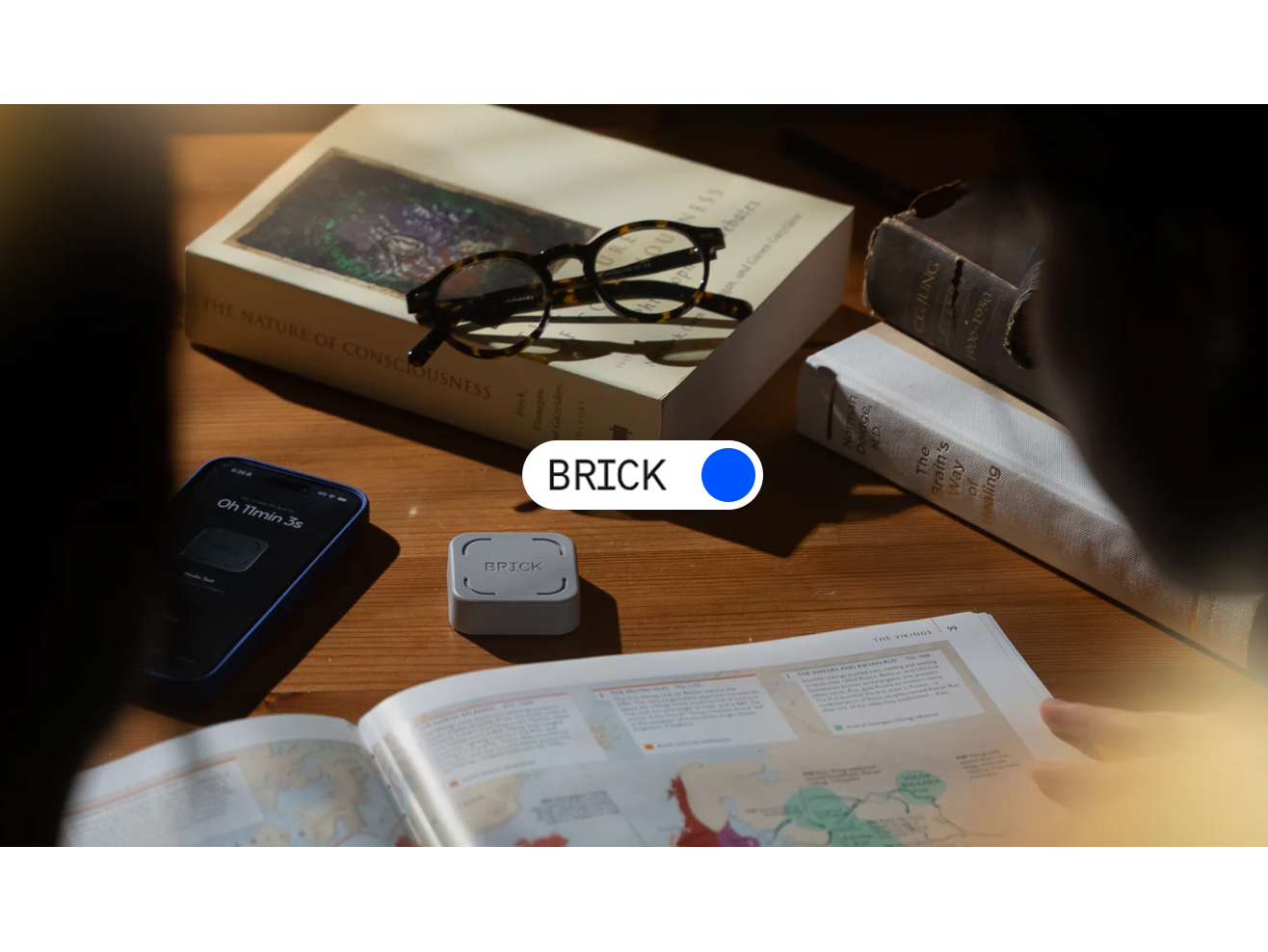
Modern smartphones are incredibly useful, but they are also one of the biggest sources of distraction in daily life. Social media, notifications, short videos, and endless scrolling have made it harder for people to stay focused on important tasks.
What makes this even more challenging is that most people are aware of their screen time problem but still struggle to control it.
BRICK is designed to solve this issue in a very different way. Instead of relying on another app, timer, or digital restriction, BRICK introduces a physical system that helps users control their phone usage more intentionally.
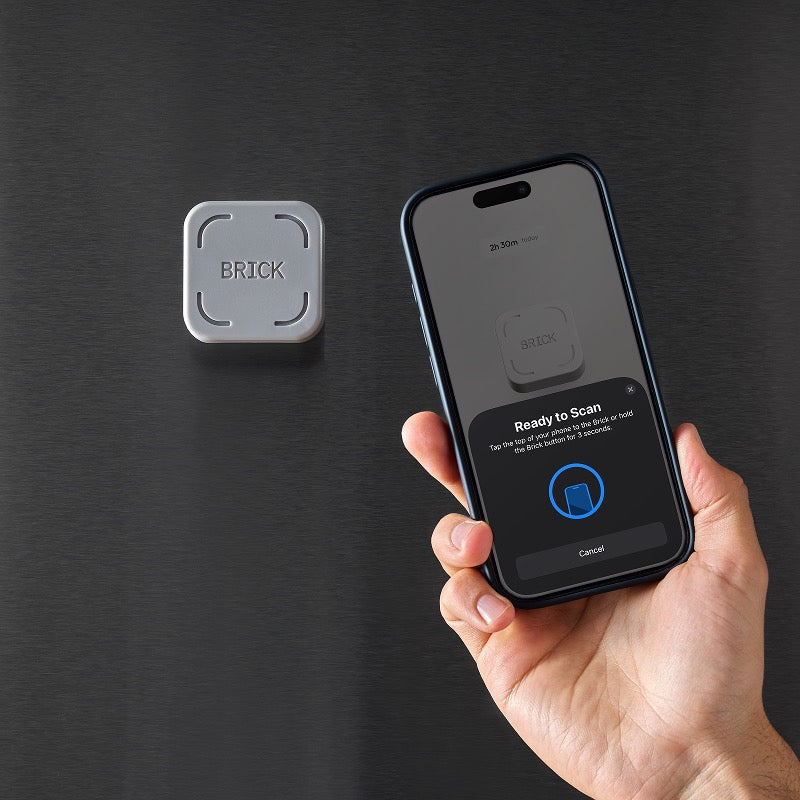
The idea is simple: you tap your phone on a small device called BRICK, and selected apps get blocked. To unblock them, you must physically tap again. This creates a real-world barrier between impulse and action, which helps users make more conscious decisions about their phone usage.
It’s not about removing smartphones from your life it’s about helping you use them with more control.
How BRICK Works in Real Daily Use
BRICK is designed to be extremely simple so that anyone can use it without technical knowledge.
The process works in a clear cycle:
First, you choose the apps you want to block. These are usually distracting apps like Instagram, TikTok, YouTube, games, or any app that interrupts your focus.
Next, you activate the block by tapping your phone on the BRICK device. Once this is done, those selected apps become inaccessible immediately.
Now comes the important part if you want to unblock them, you cannot just turn off a setting or close an app. You must physically go back and tap your phone on BRICK again.
This small physical requirement changes behavior in a meaningful way. Instead of opening apps automatically, users are forced to pause and think before unlocking them again.
That pause is where better decisions begin.
Why BRICK Is Different From Normal Screen Time Apps
Most people have already tried digital wellbeing tools, app timers, or focus mode settings. While these tools help to some extent, they often fail in real-world usage.
The main reason is simple: they are too easy to bypass.
Users can:
- Ignore time limits
- Disable notifications
- Change settings quickly
- Uninstall apps if needed
BRICK changes this dynamic by introducing physical friction.
Instead of a digital restriction, it creates a real-world action step. That small effort makes a big psychological difference.
When unlocking apps requires standing up or physically interacting with a device, the habit of “just opening the app for a second” becomes less automatic.
This is what makes BRICK more effective for people who struggle with discipline-based solutions.
Key Features of BRICK
BRICK is intentionally minimal in design but powerful in function.
Physical Activation System
Buy Now
The entire system is based on tapping your phone on the BRICK device. This physical interaction is the core of its behavior-control system.
Custom App Blocking

Buy Now
Users can choose exactly which apps they want to block. This allows full flexibility depending on work, study, or personal routines.
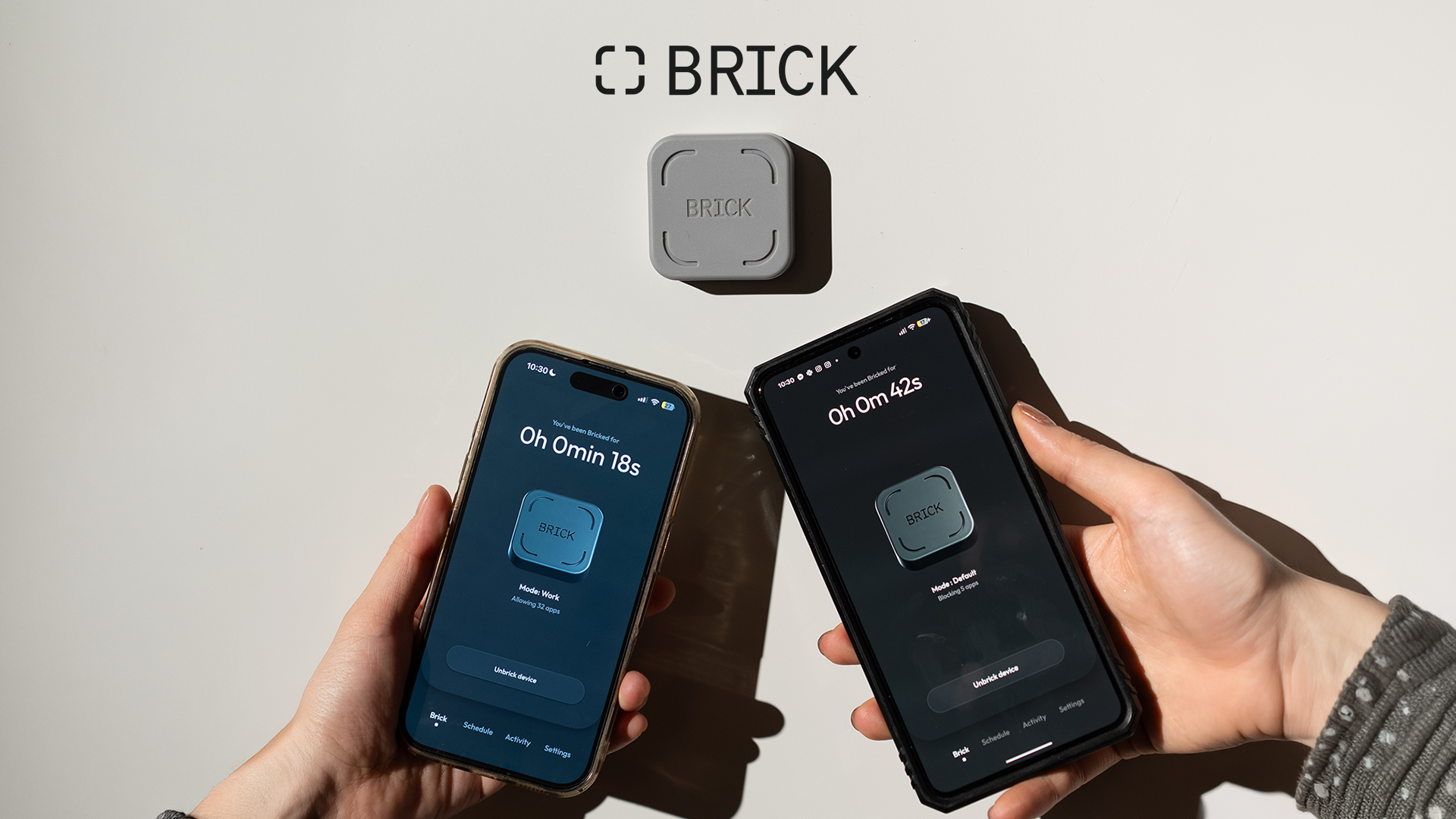
Multiple Focus Modes
Buy Now
Different blocking setups can be created for different situations such as:
- Work sessions
- Study time
- Deep focus blocks
- Offline personal time
No Monthly Subscription

Buy Now
BRICK is typically designed as a one-time purchase system, which makes it simple and cost-transparent compared to subscription-based productivity apps.
Simple Setup

Buy Now
There is no complex installation process. Users set it up once and then use it as part of their daily routine.
Real-Life Use Cases of BRICK
BRICK is useful in many everyday situations where distraction is common.
Work From Home Productivity
Remote workers often struggle with distractions because their phone is always nearby. BRICK helps reduce unnecessary app checking during work hours.
Study Sessions for Students
Students preparing for exams can block entertainment apps to maintain focus for longer periods without interruption.
Creative Work and Deep Focus
Writers, designers, developers, and freelancers benefit from uninterrupted focus sessions where attention stays on one task.
Personal Digital Detox Time
Even outside work, BRICK helps users reduce mindless scrolling during free time, especially before sleep or during breaks.
How BRICK Changes Phone Habits Over Time
The impact of BRICK is not instant it builds gradually through repeated use.
At first, users notice small changes. For example, they may open social media less frequently because it requires an extra step.
Over time, this creates a behavioral shift. The brain starts associating app usage with effort instead of instant access.
This leads to:
- Fewer impulsive phone checks
- Longer periods of focus
- More intentional app usage
- Reduced automatic scrolling behavior
Eventually, users begin to rely less on the device itself and more on the habits they have built while using it.
Psychological Reason Behind BRICK’s Effectiveness
BRICK works because it uses a concept known as “friction-based behavior control.”
In simple terms, the more steps required to perform an action, the less likely it is to happen impulsively.
Most smartphone apps are designed for the opposite they reduce friction so users engage more easily.
BRICK reverses that idea by adding a small barrier between intention and action.
That moment of delay helps interrupt habitual behavior loops, especially for people who open apps out of habit rather than intention.
Everyday Benefits Users Experience
People who consistently use BRICK often notice gradual but meaningful improvements in their digital habits.
One of the first changes is reduced screen time without actively trying to limit it.
Another benefit is improved focus during work or study sessions, since distractions become less accessible.
Users also report better control over their time, as they become more aware of when and why they are using their phone.
Over time, this leads to a more balanced relationship with digital devices.
Who BRICK Is Best For
BRICK is especially useful for people who already recognize their screen time habits but struggle to control them.
It is commonly used by:
- Students preparing for exams
- Remote workers and freelancers
- Content creators and digital professionals
- People trying to reduce social media usage
- Individuals who have tried app blockers before without success
It is not about restricting technology it is about improving how it is used.
Final Thoughts
BRICK is a simple but effective approach to digital focus and screen time control. Instead of relying on reminders or software restrictions, it introduces a physical step that helps users become more intentional with their phone usage.
What makes it interesting is not complexity, but simplicity. It doesn’t try to remove distractions completely — it makes accessing them less automatic.
For people who feel stuck in cycles of scrolling and distraction, BRICK offers a different path — one based on behavior change rather than willpower alone.
FAQ Section
What is BRICK used for?
BRICK is used to block distracting apps and reduce screen time through a physical activation system.
How does BRICK block apps?
You tap your phone on the BRICK device, which activates app blocking for selected apps.
Can I choose which apps to block?
Yes, users can manually select which apps they want to block or allow.
Is BRICK an app or a physical device?
BRICK is a physical device that works together with its companion app.
Does BRICK require a subscription?
No, BRICK is generally a one-time purchase without monthly fees.
Is BRICK useful for studying or work?
Yes, it is commonly used to improve focus during study sessions, work hours, and deep focus tasks.
Call to Action
If you want a simple and practical way to reduce distractions and improve your focus, BRICK offers a physical system that helps you take control of your phone habits.
👉 Visit the official Brick website
Start building better digital habits by making focus easier and distraction harder.
